 ChatGPT,
 Claude,
 Gemini,
 Grok — all four for
Key highlights
- Know which AI assistant actually fits your workflow, whether you are a developer, student, marketer or small business owner.
- Learn how ChatGPT, Claude, Gemini, GitHub Copilot and Perplexity each serve a different primary use case and why switching between them matters.
- Understand the real cost of managing multiple AI subscriptions and how bundled tools can reduce both spending and friction for teams.
- Explore how Bluehost AI All Access Pack gives small businesses and agencies a single dashboard to access top AI models without paying separately for each.
- Uncover the key factors that should guide your buying decision, from privacy requirements and integrations to persistent memory, import memory and team size.
AI assistants have gone from a curiosity to a core part of how people work, learn and create. In just a few years, tools like ChatGPT, Claude and Gemini have transformed how millions of professionals handle writing, research, customer communication and daily productivity.
Finding an overall assistant that fits your exact routine requires looking closely at how each tool functions. A developer needs something completely different from a small business owner. A student’s priorities are not the same as a marketing agency’s. Picking the wrong tool means paying for features you do not use while missing the ones you actually need.
This guide cuts through the noise. We analyzed the top AI assistants available in 2026, compared their strengths and limitations and matched each one to the users who will get the most out of it, including practical options for those who need a full AI toolkit rather than a single chatbot.
What is an AI assistant?
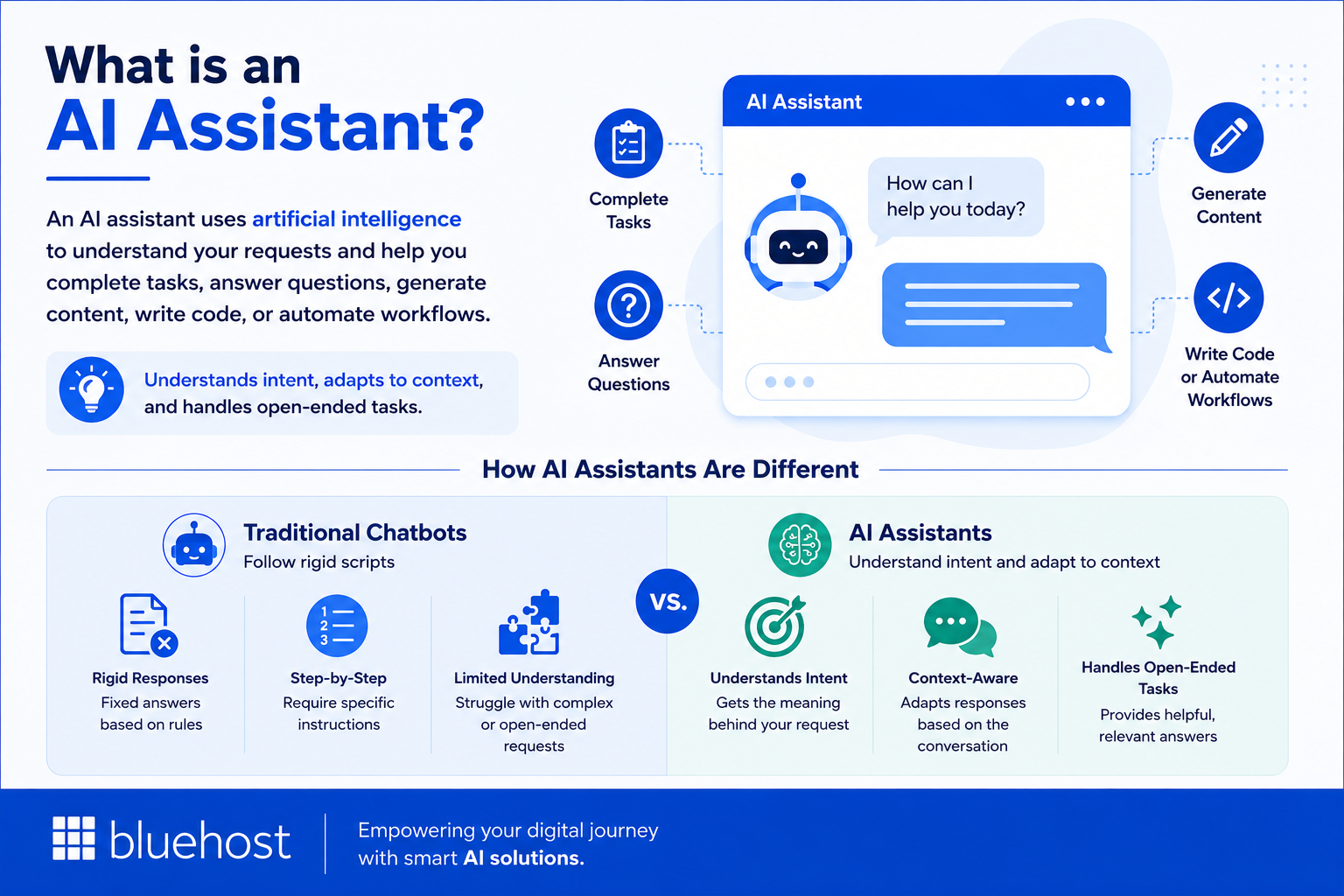
An AI assistant is software that uses artificial intelligence to understand natural language and help users complete tasks, answer questions, generate content, write code or automate workflows. Modern AI assistants rely on large language models (LLMs) trained on vast amounts of text data, which allows them to hold context-aware conversations and produce human-quality output.
Unlike traditional chatbots that follow rigid scripts, AI assistants understand the intent behind your request, adapt their responses to context and can handle open-ended tasks without step-by-step instructions.
The 3 types of AI assistants in 2026
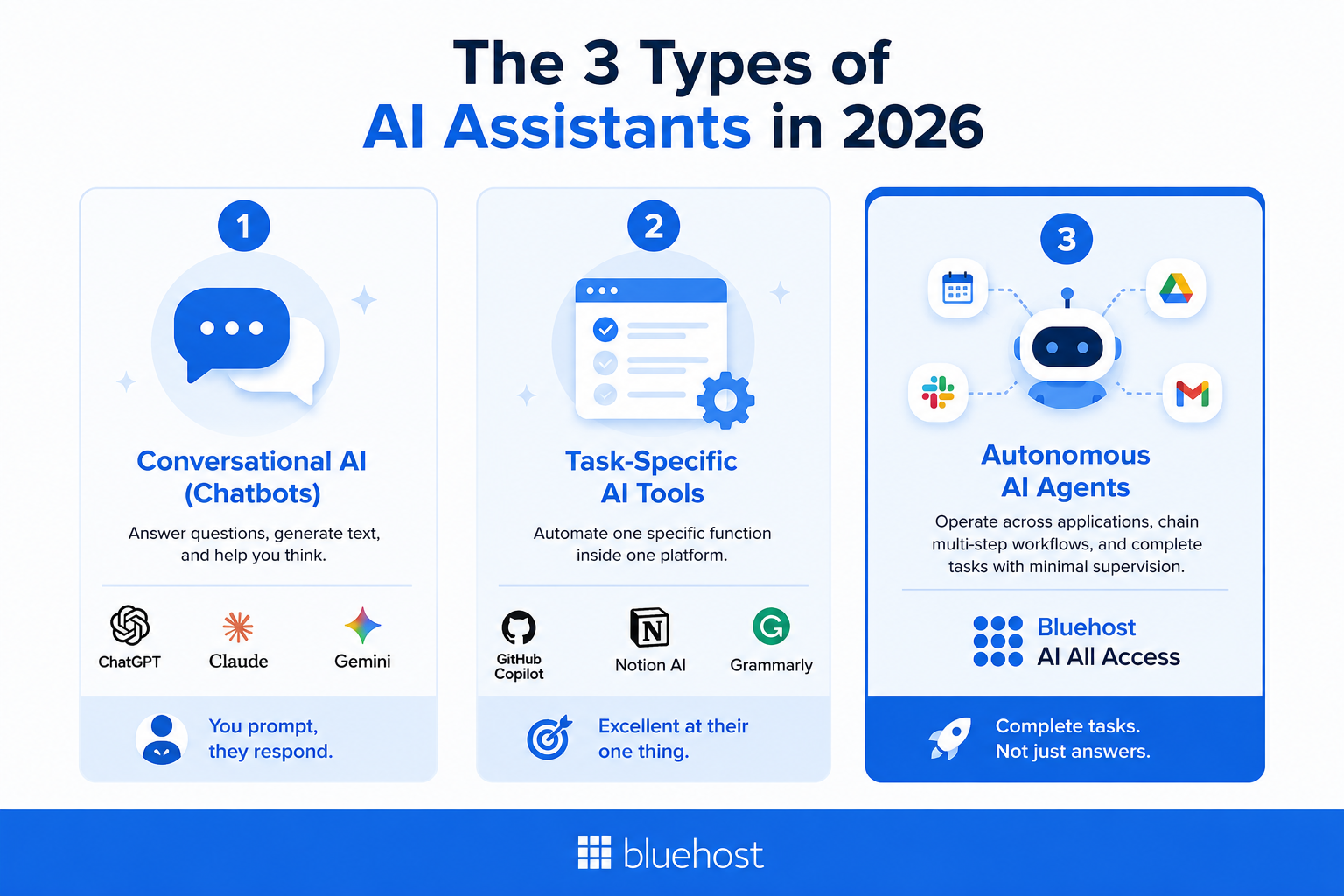
Most comparison articles treat all AI assistants as interchangeable. They are not. There are three fundamentally different categories:
- Conversational AI (Chatbots): These answer questions, generate text and help you think. ChatGPT, Claude and Gemini live here. You prompt, they respond. The work still happens in your hands.
- Task-specific AI tools: These automate one specific function inside one platform. GitHub Copilot writes code. Notion AI summarizes notes. Grammarly polishes writing. They excel at their single job, but remain limited beyond it.
- Autonomous AI agents: Autonomous agents represent an emerging category capable of operating across applications, chaining multi-step workflows and completing tasks with minimal supervision. Options like Bluehost AI All Access bundle multiple agentic and model capabilities under one subscription.
AI assistants vs. traditional chatbots
Traditional chatbots follow decision trees and can only do what they have been explicitly programmed to handle. AI assistants understand natural language, maintain conversational context, generate original content and adapt to novel requests. The gap between the two is enormous in practice.
Common AI assistant use cases
- Writing and editing (blogs, emails, reports, ad copy)
- Research and summarization
- Code generation and debugging
- Customer support and FAQ automation
- Task planning, scheduling and project management
- Education, tutoring and studying
- Marketing campaign ideation and execution
How businesses use AI assistants
Businesses use AI assistants to take repetitive knowledge work off their teams across customer support, marketing, sales, operations and data analysis. Rather than replacing entire roles, these tools handle the time-consuming parts of each function so your team can focus on work that actually requires human judgment.
- Customer support: Draft replies to common queries, build FAQ responses from existing documentation and flag recurring issues from support tickets. ChatGPT handles this well for teams that need fast, consistent reply drafts without a dedicated support writer on every shift.
- Marketing: Generate campaign concepts, write ad copy variations, draft blog posts and repurpose content for different channels. For small business owners producing content at volume, the Bluehost AI All Access Article Writer covers the drafting step so your team can spend time editing rather than starting from scratch.
- Sales: Write personalized outreach emails, summarize call recordings and pull key points from lead conversations before follow-ups. Claude handles longer transcripts and proposal drafts with more precision than most general-purpose tools.
- Operations: Capture meeting notes, generate action items from recordings and summarize long internal documents. Microsoft Copilot is the practical choice here if your team already works inside Teams and Outlook, since it handles these tasks directly inside the apps you use daily.
- Data and research: Explain trends from spreadsheets in plain terms, draft executive summaries from raw data and gather background on new markets. The Bluehost AI All Access Research Agent automates much of the source-gathering step for teams that produce regular reports.
Using AI assistants for research and reliable sourcing
AI can dramatically speed up research tasks: summarizing long documents, comparing expert viewpoints and drafting literature reviews. But every output requires verification. AI tools do not always signal uncertainty and the risk of fabricated citations is real, particularly when models generate answers purely from training data.
The most important distinction for research accuracy is how a model sources its answers. General-purpose assistants pull from training data with a knowledge cutoff, raising the risk of fabricated references. A model can construct a convincing citation that leads nowhere and it will do so confidently. Perplexity AI and Gemini with Google Search both query the live web and return answers tied to real, clickable sources, making them considerably more reliable for factual work. Claude approaches the problem differently: its large context window accommodates entire papers or reports in a single session, making it practical for extracting key arguments, identifying contradictions or comparing two documents you paste directly into the conversation.
The Bluehost AI All Access Research Agent offers an automated starting point, browsing sources and producing cited reports without requiring you to gather materials yourself. Use it as a structured first draft, not a finished product. Read every source it cites, confirm the claims hold and revise before relying on the findings for anything consequential. Whether you are a student, journalist or analyst, the principle stays the same: AI handles the heavy lifting, but verification stays with you.
Quick comparison: Best AI assistants at a glance
Use this table to quickly identify the right AI assistant for your primary use case, memory preferences and budget.
| AI assistant | Primary use case | Free plan | Memory & import memory | Pricing |
|---|---|---|---|---|
| ChatGPT | All-around use, personal productivity | Yes | Memory only (Paid) | $20/month (Plus) |
| Claude | Writing, analysis, long documents | Yes | Project knowledge | $20/month (Pro) |
| Google Gemini | Google Workspace, multimodal tasks | Yes | Workspace context | $19.99/month |
| Microsoft Copilot | Office productivity, enterprise | Yes | M365 Graph | Included in M365 |
| GitHub Copilot | Code generation and completion | No | Repository context | $10/month |
| Perplexity AI | Research with cited sources | Yes | Collections only | $20/month (Pro) |
| Notion AI | Notes, docs, student productivity | No | Workspace context | $10/month add-on |
| Bluehost AI All Access | Business, content creation, agencies | No | Memory & Import Memory | From $20/month |
What is the best free AI assistant in 2026?
ChatGPT is the best free AI assistant for most people in 2026 because it handles everyday questions, brainstorming, summaries and basic drafting well. Claude is often the better free choice for thoughtful writing, while Gemini suits people who already work in Google’s apps and Perplexity AI is strongest for research with sources.
ChatGPT offers the broadest starting point for general tasks, from planning a trip to polishing an email. Claude’s free experience is especially useful for editing longer drafts, clarifying arguments and working through detailed instructions. Among the best AI writing tools, the better fit depends on whether you value versatility or a more deliberate editorial voice.
Google Gemini makes more sense when Gmail, Docs, Drive and other Google services already anchor your day, since its ecosystem context can reduce copying between tools. Perplexity AI is a better match for current facts because it presents answers alongside citations, although readers should still open and assess the original sources.
A free plan is enough for occasional prompts, schoolwork and personal projects. Paid access becomes worthwhile when usage caps interrupt daily work or when you need higher limits, persistent memory, advanced integrations or shared controls for a team. Free-tier model access and features change often, so confirm current limits before choosing among the best AI apps.
The best AI assistants in 2026: Reviewed
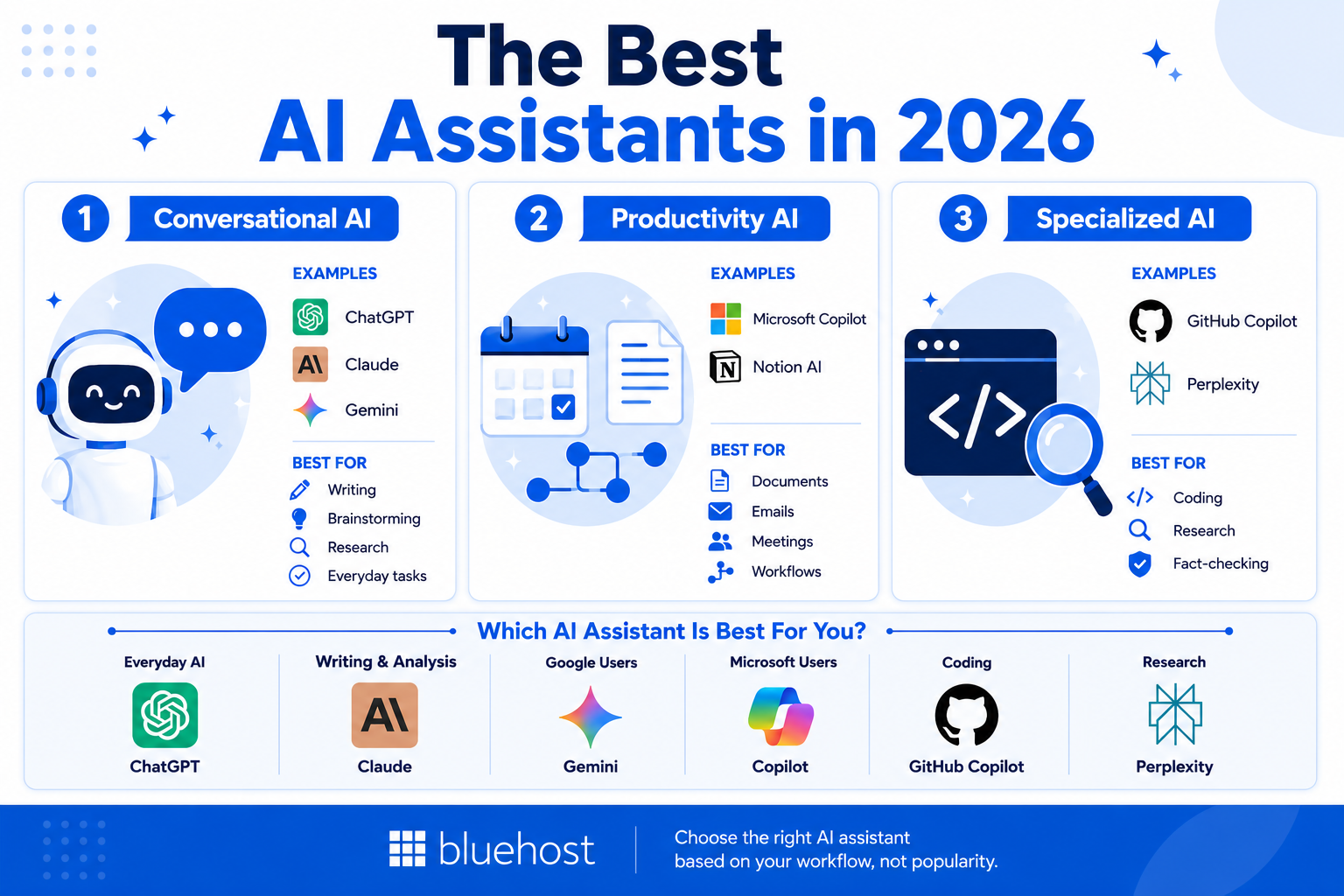
Here is a detailed breakdown of each tool, what it does well, where it falls short and who should use it.
1. ChatGPT (OpenAI): Best all-around AI assistant
Overview
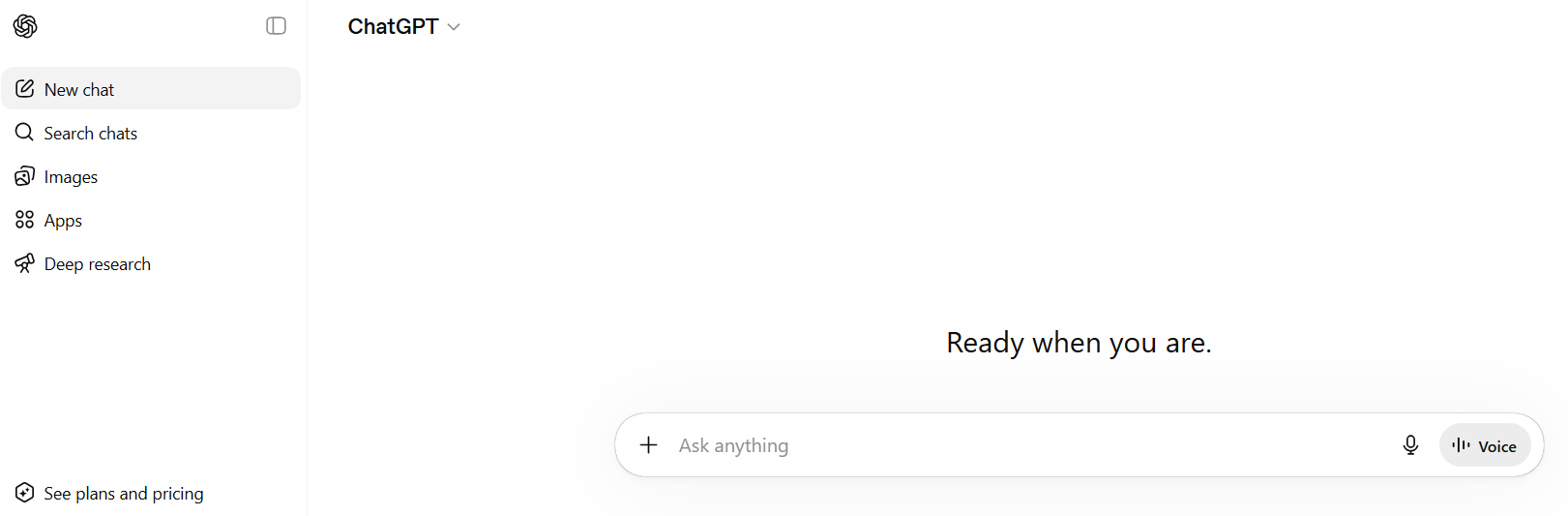
ChatGPT remains the most widely used AI assistant in the world and serves as an exceptional overall choice. Built on OpenAI’s GPT-4o model, it handles an enormous range of tasks with speed and versatility. From drafting emails and brainstorming marketing ideas to explaining complex topics and writing code, ChatGPT delivers usable results immediately without a steep learning curve. Its plugin and connector ecosystem is expansive, making it highly extensible for different workflows.
Key features
- GPT-4o for text, image and voice input
- Custom GPTs and plugin integrations (Zapier, Slack, Google Docs)
- Web browsing and real-time information retrieval
- Image generation via DALL-E integration
- Code interpreter and data analysis tools
- Memory feature for personalized conversations (paid)
| Pros | Cons |
| Handles the widest range of task types | Limited persistent memory without paid plan |
| Strong free tier with GPT-4o access | Can produce confident-sounding but inaccurate answers |
| Large, well-documented API for developers | Costs scale quickly for heavy API users |
| Intuitive interface for first-time AI users | No built-in tool to import memory from third-party apps |
Pricing: Free plan available. ChatGPT Plus at $20/month. Team and Enterprise plans available.
Best for: Freelancers, content creators, everyday users, marketers and anyone trying AI for the first time.
Also read: The Ultimate Guide on How to Build a Website with ChatGPT
2. Claude (Anthropic): Best for writing, analysis and research
Overview
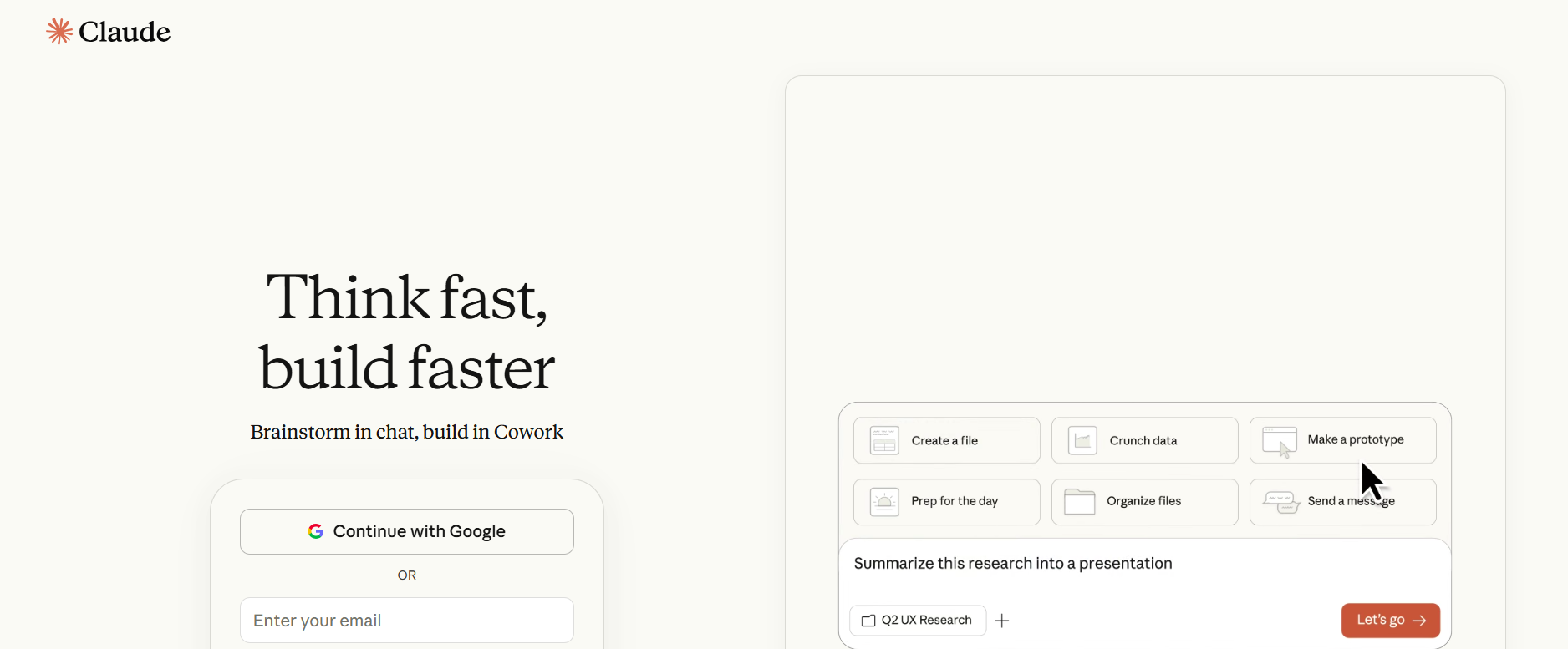
Claude is Anthropic’s AI assistant, built with a focus on safety, accuracy and nuanced reasoning. It consistently outperforms competitors on tasks involving long documents, careful analysis and multi-step reasoning. Claude’s 200,000-token context window means it can process entire books, legal documents or codebases in a single session, making it a powerful AI assistant for research, professional writing and business analysis.
Key features
- 200K+ token context window for large document processing
- Strong at nuanced writing: reports, proposals, legal summaries
- Claude Code for developer and agentic coding workflows
- Available via API, web and mobile apps
- Trained with Constitutional AI for safer, more reliable outputs
| Pros | Cons |
| Exceptional at long-form content and complex analysis | Fewer third-party integrations than ChatGPT |
| More careful and accurate than most competitors on nuanced tasks | Occasionally overly cautious on ambiguous or creative requests |
| Excellent for business documents, research summaries and technical writing | No native image generation |
Pricing: Free plan available. Claude Pro at $20/month.
Best for: Writers, researchers, business analysts and professionals handling long documents.
3. Google Gemini: Best for Google Workspace users
Overview
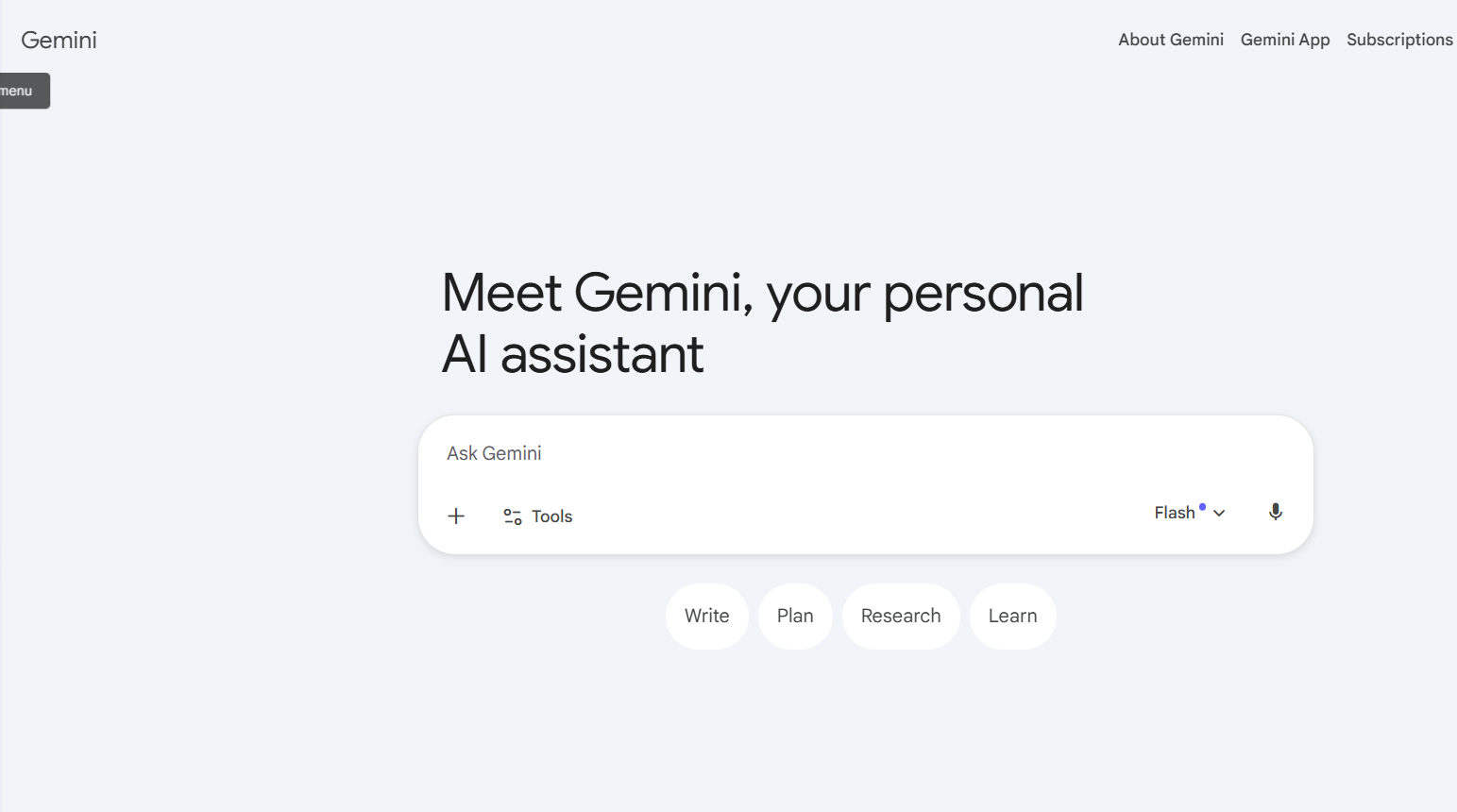
Google Gemini is deeply integrated into the Google ecosystem, making it the natural choice for anyone already using Gmail, Docs, Sheets or Drive. Gemini can summarize emails, draft documents, analyze spreadsheets and generate images within the tools you already use every day. Its multimodal capabilities make it particularly useful for content creators and teams working with mixed media.
Key features
- Native integration with Gmail, Docs, Sheets, Slides and Drive
- Multimodal: text, image, audio and video understanding
- Google Search integration for real-time information
- Available across Android, iOS and web
- Gemini Advanced powered by Google’s most capable models
| Pros | Cons |
| Direct workflow for Google Workspace users | Less useful outside the Google ecosystem |
| Strong multimodal capabilities | Privacy concerns for data-sensitive users |
| Real-time web access via Google Search | Lags behind Claude and ChatGPT on pure writing quality |
Pricing: Free plan available. Google One AI Premium (Gemini Advanced) at $19.99/month.
Best for: Google Workspace users, educators, students using Google tools and content creators working with media.
4. Microsoft Copilot: Best for Microsoft 365 and enterprise
Overview
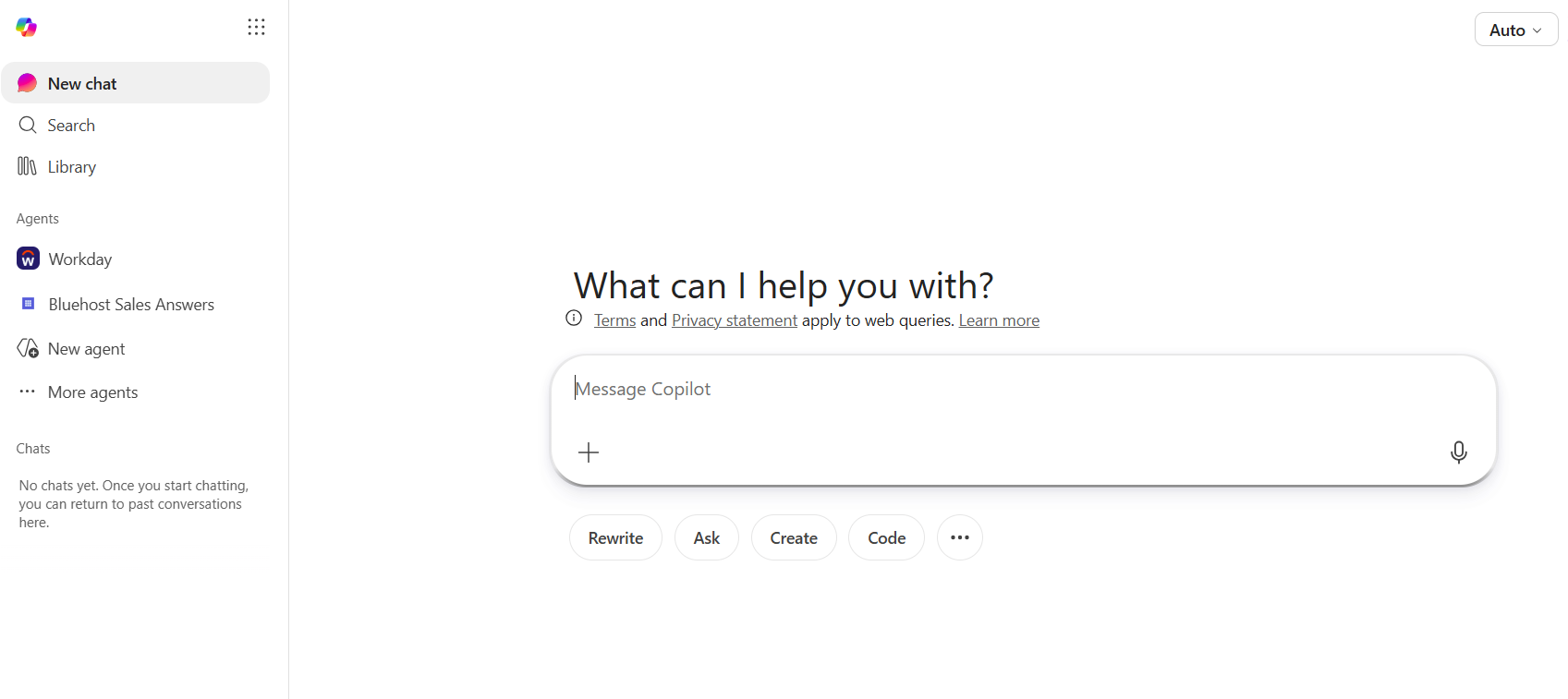
Microsoft Copilot brings AI directly into Word, Excel, PowerPoint, Teams and Outlook. For businesses already running on Microsoft 365, it eliminates the need to switch between tools. You get AI-powered writing, data analysis, meeting summaries and presentation generation right inside the applications your team already uses daily.
Key features
- Embedded in Word, Excel, PowerPoint, Teams and Outlook
- Meeting transcription and summaries in Teams
- Data analysis and chart generation in Excel
- Email drafting and thread summarization in Outlook
- Enterprise-grade security and compliance features
| Pros | Cons |
| No context-switching: AI works inside existing Microsoft tools | Requires Microsoft 365 subscription |
| Strong enterprise security and compliance | Limited value outside the Microsoft ecosystem |
| Excellent for productivity within the Microsoft stack | Additional Copilot licensing costs for advanced features |
Pricing: Included in Microsoft 365 plans. Microsoft 365 Copilot for business starts at $30/user/month.
Best for: Enterprise teams, office workers and businesses already using Microsoft 365.
5. GitHub Copilot: Best AI assistant for coding
Overview
GitHub Copilot is the industry standard for AI-assisted software development. It integrates directly into VS Code, JetBrains IDEs and other popular editors, providing real-time code completions, function generation, test writing and documentation as you type. For developers, it genuinely accelerates workflow in a way that general-purpose chatbots cannot match.
Key features
- Real-time code completions in VS Code, JetBrains and Neovim
- Copilot Chat for in-editor Q&A and code explanation
- Test generation and documentation writing
- Repository-aware context understanding
- GitHub-native integration for PR reviews and code suggestions
| Pros | Cons |
| Most capable coding-specific AI assistant available | Not designed for general tasks or content creation |
| Deep IDE integration reduces context-switching | No persistent memory or project-level learning |
| Saves significant time on boilerplate and repetitive code | Requires active coding environment to get value |
Pricing: $10/month for individuals. $19/user/month for business.
Best for: Developers, software engineers and technical teams.
6. Perplexity AI: Best AI assistant for research
Overview
Perplexity AI takes a different approach from most AI assistants: instead of generating answers from training data alone, it searches the web in real time and presents cited, up-to-date responses. Real-time verification makes Perplexity uniquely valuable for research tasks where accuracy and source verification matter.
Key features
- Real-time web search with source citations
- Focused and concise answers with linked references
- Pro Search for deeper, multi-step research queries
- Collections for saving and organizing research
- Available on web and mobile
| Pros | Cons |
| Cited sources dramatically reduce hallucination risk | Less capable for creative writing or content generation |
| Best for staying current on fast-moving topics | Weaker on tasks requiring long-form output |
| Clean interface designed around research workflows | Pro features require paid plan |
Pricing: Free plan available. Perplexity Pro at $20/month.
Best for: Students, researchers, journalists, academics and professionals who need current, verifiable information.
7. Notion AI: Best for students and knowledge workers
Overview
Notion AI is built into the Notion workspace, making it an ideal AI assistant for students, educators and knowledge workers who already use Notion for notes and project management. It can summarize meeting notes, draft documents, translate content, generate action items and improve existing writing, all without leaving your workspace.
Key features
- AI writing and editing inside Notion pages and databases
- Summarization of notes, documents and meeting transcripts
- Action item extraction from long notes
- Translation and tone adjustment for written content
- Q&A over your own knowledge base
| Pros | Cons |
| Directly embedded in a popular productivity tool | Only useful if you already use or plan to use Notion |
| Excellent for students and academic workflows | Not a standalone AI assistant |
| Great at organizing large note collections | Requires a paid Notion plan plus the AI add-on |
Pricing: Notion AI add-on at $10/member/month. Requires a Notion subscription.
Best for: Students, researchers, project managers and educators.
Bluehost AI All Access Pack: One dashboard for all your AI tools
Most AI assistants give you access to one model through one interface. Bluehost AI All Access Pack works differently: it puts ChatGPT, Claude, Gemini and Grok into a single dashboard so you can use whichever model fits the task at hand, without managing separate subscriptions or switching between platforms.
Different AI models perform better at different things. ChatGPT is strong at organization and templates. Claude is the go-to for precision, coding and accuracy-sensitive tasks. Gemini draws on deep academic sources for research-heavy queries. Grok brings a conversational, creative voice that works well for copy and brainstorming. Having all four available in one place means you can route tasks to the right model rather than forcing everything through one.
What you get
The All-Access Pack ($20/month) includes:
- Access to ChatGPT, Claude, Gemini and Grok in one dashboard
- Model comparison: run the same prompt across multiple models and compare outputs side by side
- Memory: saves your business context, preferences, brand guidelines and past project details across conversations, ensuring every model outputs tailored work without requiring you to re-enter background info
- Import Memory: seamlessly transfers your existing saved memories and custom instructions from standalone tools like ChatGPT into Bluehost AI All Access, preserving your established workflows instantly
- Research Agent: autonomously browses the web, analyzes sources and generates detailed, cited reports
- Article Writer: produces SEO-ready blog posts and articles ready for publication
- Presentation Builder: generates complete, downloadable slide decks from a prompt
- Account Management Dashboard: assign seats, manage access and monitor usage across your organization
The Privacy+ tier ($25/seat/month) adds a sanitization layer that automatically detects and masks sensitive information before it reaches any external model. The sanitization layer makes the platform practical for teams handling client data, legal documents or financial information. Prompts are sanitized, the AI processes them and the final response comes back with the original context restored so output quality is not affected.
Note: Prices are subject to change, please visit the official website for the most recent information.
The cost reality
A standalone ChatGPT Plus subscription runs $20/month. Claude Pro is another $20. Gemini Advanced is $19.99. That totals roughly $60 per person for three of the four models included in the All-Access Pack, before counting any specialized productivity tools. For teams or agencies managing AI access across multiple people, the per-seat math shifts further in the bundle’s favor.
Who it works best for
- Small business owners who need AI for content, marketing and operations without building a stack of individual subscriptions
- Agencies managing AI access for multiple clients or team members from a central admin dashboard
- Professionals who want persistent memory across multiple AI models and the ability to import existing prompts and instructions easily
- Freelancers and entrepreneurs who regularly switch between writing, research and creative tasks
- Content teams that need the Article Writer and Research Agent for high-volume production
- Organizations with data sensitivity requirements and required secure AI sanitization features
When a single AI tool is enough
If your work centers on one specific task, a dedicated tool may serve you better. A developer doing code-heavy work will get more from GitHub Copilot’s IDE integration. A researcher focused purely on source citation will get more from Perplexity’s real-time search. Bluehost AI All Access makes the most sense when you need AI across several different types of work in the same week and do not want to manage the overhead of separate accounts, logins and invoices.
| Pros | Cons |
| Access to four flagship AI models in one subscription | No free trial available |
| Persistent Memory and Import Memory to retain context across models | Less specialized than purpose-built coding or research tools |
| Built-in tools: Research Agent, Article Writer, Presentation Builder | Full value realized only when multiple AI functions are needed regularly |
| Centralized team and client access management | |
| Model comparison feature helps find the best output per task | |
| Privacy+ tier protects sensitive data automatically | |
| No Bluehost hosting required to subscribe |
Pricing: AI All-Access Pack from $20/month. Privacy+ from $25/seat/month.
Learn more and choose your plan directly on the Bluehost AI All Access storefront.
Best for: Small business owners, agencies, freelancers and content teams who need access to multiple AI models, unified memory management and built-in productivity tools without managing separate subscriptions.
Also read: AI Tools for Small Businesses
Which AI personal assistant is best for building safely with AI?
The best AI assistant for building safely is one that gives you clear control over how prompts are handled, stored and shared. For sensitive work, Privacy+ adds safeguards beyond ordinary consumer tools, including prompt masking, encrypted conversations and retention controls.
For everyday brainstorming, drafting or learning, review the provider’s training policy and avoid entering passwords, account numbers or private records. For client, legal, healthcare, financial or proprietary information, confirm where data goes, who can access it and whether prompts may be retained or used for model training.
Privacy+ uses a Sanitization Layer to mask sensitive identifiers before requests reach external models. Its enterprise-tier application programming interfaces contractually exclude training on submitted data, while zero data retention architecture, end-to-end encryption and Incognito Mode provide added control over conversation history. Content that cannot be sanitized, such as code or uploaded documents, can be handled through the private BLUGPT instance.
Security features do not automatically make a workflow compliant. Limit access by role, keep permissions current and require a person to verify facts, outputs and any action before approval. Treat AI as an assistive partner, especially where an incorrect answer could affect a client, patient or business decision.
How to choose the best AI assistant for your needs
With so many capable options available, the right choice comes down to matching the tool to your specific situation. Here are the key factors to evaluate:
- Budget: Most top AI assistants offer a free tier. If you need advanced features, $20/month is the typical entry point for paid plans. For teams needing multiple tools, a bundled solution can be more cost-effective than separate subscriptions.
- Memory and import memory: Persistent memory lets an assistant retain your brand voice, business preferences and background details across chats. Verify whether a platform includes persistent memory and whether it offers import memory capabilities to transfer your established instructions from existing tools without starting from scratch.
- Primary use case: Be honest about what you need most. Coding? Go with GitHub Copilot. Research? Perplexity AI. Writing and analysis? Claude. General productivity? ChatGPT or Gemini.
- Ease of use: Most AI assistants are beginner-friendly, but tools embedded in existing software have a lower adoption curve if you already use those platforms.
- Integrations: Check whether the tool connects with your existing stack, whether that is Google Workspace, Microsoft 365, Slack, GitHub or your CMS.
- Privacy and data security: For businesses handling sensitive data, review each tool’s data retention policy. Enterprise plans and purpose-built privacy tiers offer stronger guarantees than consumer plans.
- Scalability: If you expect team usage to grow, check team and enterprise pricing early. Per-seat costs vary significantly between tools.
- Education and research requirements: Students and researchers should prioritize tools with real-time web access and citation support. Perplexity AI and Gemini are strongest here.
- Coding requirements: Developers need IDE integration, not just a chat interface. GitHub Copilot and Claude Code are the purpose-built options.
Which AI assistant is right for you?
Here is a quick-reference guide matching AI assistants to the users who will get the most from them.
| User type | Best pick | Why |
| Developer | GitHub Copilot or Claude | Code-aware, high accuracy, IDE integration |
| Student | ChatGPT or Notion AI | Research, summarization, essay writing |
| Researcher | Perplexity AI | Cited, real-time web search results |
| Small Business Owner | Bluehost AI All Access | Multi-tool value, business workflows, unified memory |
| Content Creator | Claude or Bluehost AI All Access | Long-form writing, content pipelines |
| Marketer | ChatGPT or Bluehost AI All Access | Copy, campaigns, ad ideation |
| Agency | Bluehost AI All Access | Multiple tools, cost efficiency at scale, import memory |
| Everyday User | ChatGPT or Gemini | Simple, versatile, free tier available |
Developers benefit most from GitHub Copilot for day-to-day coding, with Claude as a strong complement for documentation, architecture discussions and code review. Students and academics will find ChatGPT ideal for essay drafts and quick explanations, while Perplexity AI fills the research gap with cited, current answers.
Small business owners and entrepreneurs often need AI across multiple functions, which is why Bluehost AI All Access Pack stands out for this group. Managing separate subscriptions for content, marketing and operations AI adds up fast. Everyday users who just want a capable, accessible AI assistant will be well served by the free tiers of ChatGPT or Gemini.
Choosing the right AI assistant
The best AI assistant in 2026 depends on what you need it to do. ChatGPT remains the strongest all-around option for everyday productivity, Claude excels at writing and analysis, GitHub Copilot is the clear choice for developers and Perplexity stands out for research.
For businesses, agencies and freelancers juggling multiple workflows, Bluehost AI All Access Pack offers a practical way to access leading AI models and productivity tools from a single platform. Focus on your primary use case first, then choose the tool that best supports it.
Final thoughts
Finding the best AI assistant in 2026 is less about picking the most popular tool and more about matching the right tool to your specific needs. ChatGPT remains the most versatile option for general use. Claude is unmatched for writing, analysis and handling long documents. GitHub Copilot is the standard for developers. Perplexity AI is the go-to for research. And for small businesses, agencies and freelancers who need AI across multiple business functions, Bluehost AI All Access Pack delivers a practical way to access top models and built-in productivity tools without the overhead of managing separate subscriptions.
Start with the free tier of the tool that best fits your primary use case. As your needs grow, the paid plans and multi-tool options give you room to scale without building an expensive stack of overlapping subscriptions.
Bluehost AI assistant does not just save time. It changes how you work. The tools reviewed in this guide are the ones making that difference in 2026.
FAQs
An AI assistant is software powered by artificial intelligence that understands natural language and helps users complete tasks, answer questions, generate content or automate workflows. Unlike traditional chatbots that follow fixed scripts, AI assistants adapt to open-ended requests and maintain conversational context.
There is no single best AI assistant because it depends on your use case. ChatGPT is the most versatile all-around option. Claude leads for writing and analysis. GitHub Copilot is the top pick for coding. Perplexity AI is best for research. For small businesses and agencies needing multiple tools, Bluehost AI All Access Pack offers strong value by consolidating top models and productivity tools under one subscription.
GitHub Copilot is the best AI assistant for coding. It integrates directly into popular IDEs, provides real-time code completions and understands repository context. Claude Code is a strong alternative for developers who prefer a conversation-driven approach to complex coding tasks.
Perplexity AI is the best AI assistant for research because it searches the web in real time and provides cited, verifiable answers. Direct sourcing dramatically reduces the hallucination risk that affects other AI tools when used for factual research. Google Gemini is also strong for research tasks tied to Google Search.
For individual business use, Claude and ChatGPT are both highly capable for writing, analysis and customer communication. For small businesses and agencies that need AI across multiple functions, Bluehost AI All Access Pack offers access to multiple top models plus built-in tools for content, research, presentations and persistent memory, all from one dashboard.
ChatGPT and Notion AI are the top choices for students. ChatGPT handles essay drafts, concept explanations and study guides. Notion AI works well for students already using Notion to manage notes and research. Perplexity AI is excellent for academic research requiring cited sources.
Yes. For most users, AI assistants deliver a measurable productivity improvement, particularly for writing, research, coding and customer communication. The free tiers of tools like ChatGPT, Claude and Gemini are good starting points to evaluate whether paid plans are justified for your workflow.
It depends on how many AI tools you currently use or need. If you are paying for ChatGPT, Claude and Gemini separately, the All-Access Pack at $20/month is likely cheaper and adds model comparison, persistent Memory, Import Memory, a Research Agent, Article Writer and Presentation Builder on top. For teams and agencies managing multiple seats, the centralized admin dashboard adds further operational value.
An AI assistant responds to prompts and helps you complete tasks through conversation. An AI agent can take autonomous action, browsing the web, executing workflows and completing multi-step tasks with minimal human intervention. Most consumer AI tools are assistants; agent capabilities are an emerging and fast-growing category.
Absolutely. Many power users combine tools: ChatGPT for quick questions, Claude for deep writing projects, GitHub Copilot for coding and Perplexity for research. The key is avoiding tool sprawl. Use dedicated tools where they add clear value and consider a bundled solution if multi-tool costs start adding up.

Write A Comment