What Is OpenClaw? A Complete Overview
OpenClaw is an open-source, self-hosted AI agent platform designed to run on user-controlled hardware and connect chat applications like WhatsApp, Telegram, Discord, Signal, Slack, or iMessage with an autonomous AI assistant. Instead of relying on cloud-hosted services, OpenClaw gives users full control over infrastructure, API keys, and data.
Key advantages include self-hosting, multi-channel integration, autonomous action capabilities, plugin extensibility, and model-agnostic support. OpenClaw operates through an observe → reason → act → persist loop that enables iterative decision-making and multi-step task execution.
Its architecture includes three layers: the brain (LLM reasoning), the body (gateway running on user hardware), and the interface (chat applications). This design lets users interact with agents naturally through messaging.
How to Install OpenClaw
OpenClaw can be installed in two ways on the Bluehost Self-Managed VPS: the first would be at the time of Purchase of a Self-Managed VPS, or via manually installing it.
Purchase Self-Managed VPS Hosting
- In your browser, go to https://www.bluehost.com/vps-hosting.
- Click the Choose Plan button under your preferred VPS hosting plan.
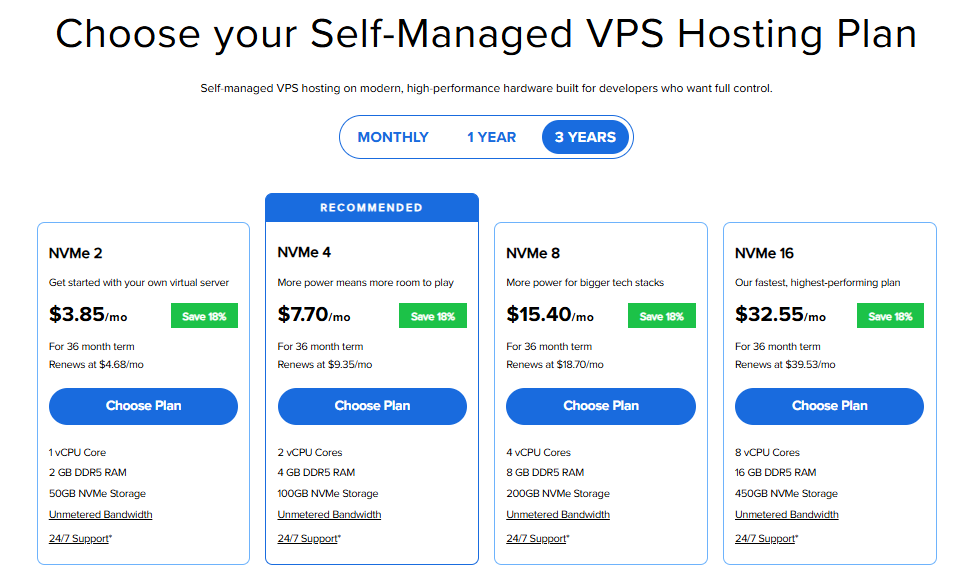
Important: Pricing is subject to change—please visit https://www.bluehost.com/vps-hosting for the current introductory/sign-up offer for Bluehost VPS Hosting. For the most up-to-date renewal pricing, visit your Bluehost Portal Renewal Center.
- On the Cart page, you can configure your server to fit your needs in the following section:
- Hardware:
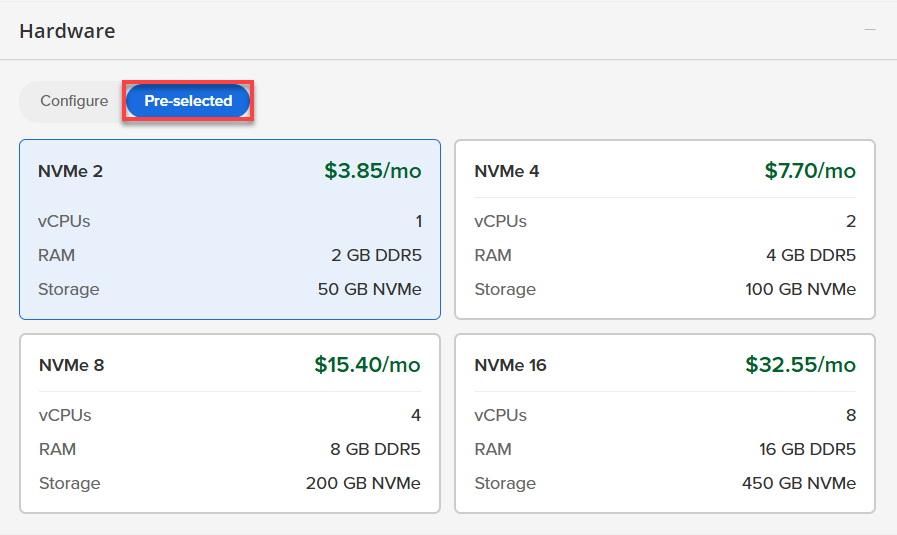
- Pre-selected:
You can select a different Self-Managed VPS plan in this section.
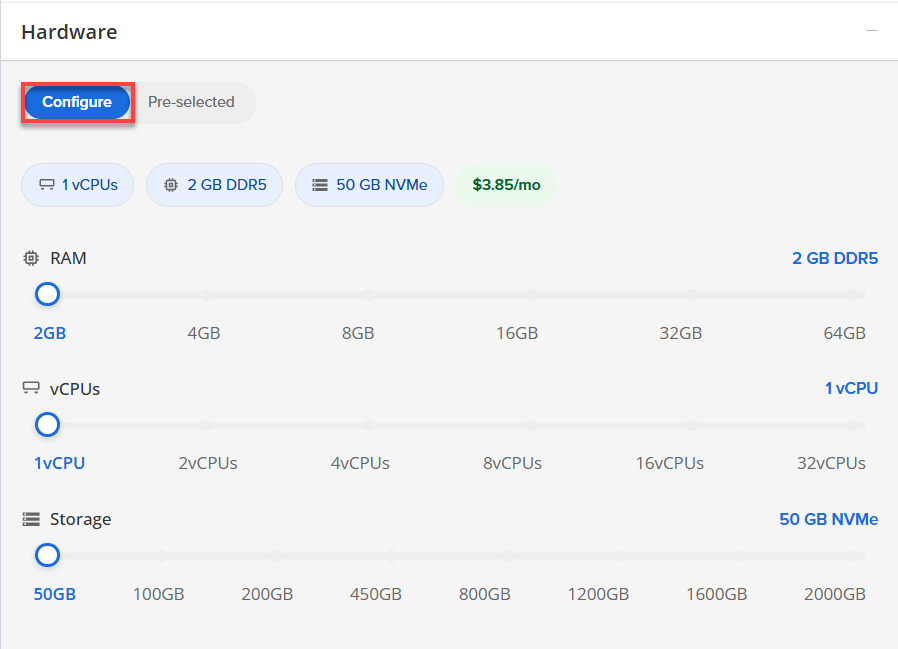
- Configure:
Click Configure to customize your package.
Note that your changes help customize your plan, and the overall cost will adjust accordingly to fit your needs.
- Pre-selected:
- Software:
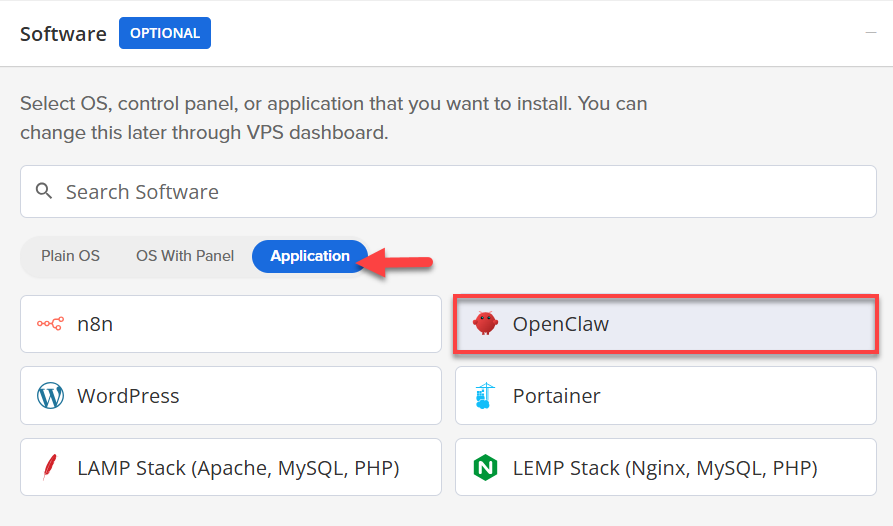
- Click on the Application Tab.
- Choose OpenClaw.
- Add-Ons:
- Premium Support:
Provides you with priority access to our expert team, ensuring faster responses and personalized help whenever you need them.

- Premium Support:
- Hardware:
-
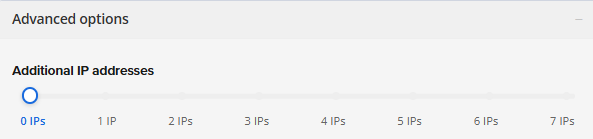
In the Advanced options tile, you can add extra IP addresses to grow as needed; pricing changes based on how many you add.
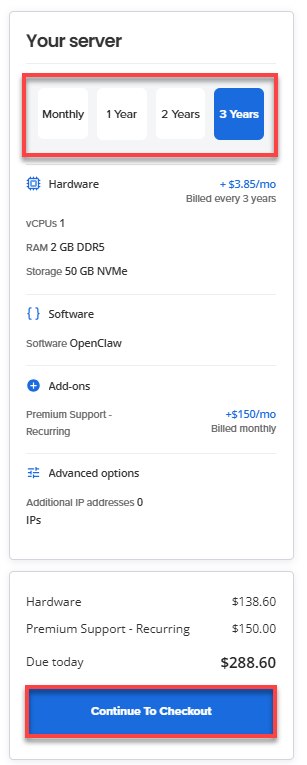
- Select your preferred billing term and view your Order Summary. Click the Continue to Checkout button to proceed.
- Do the following on the Checkout page:
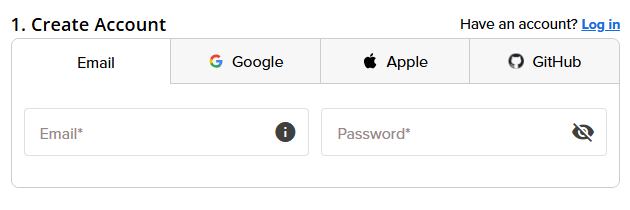
- Create an Account: To get started, you’ll need to create your Bluehost account. You can do this easily by using your email address or by connecting with your Google, Apple, or GitHub account — whichever you prefer!
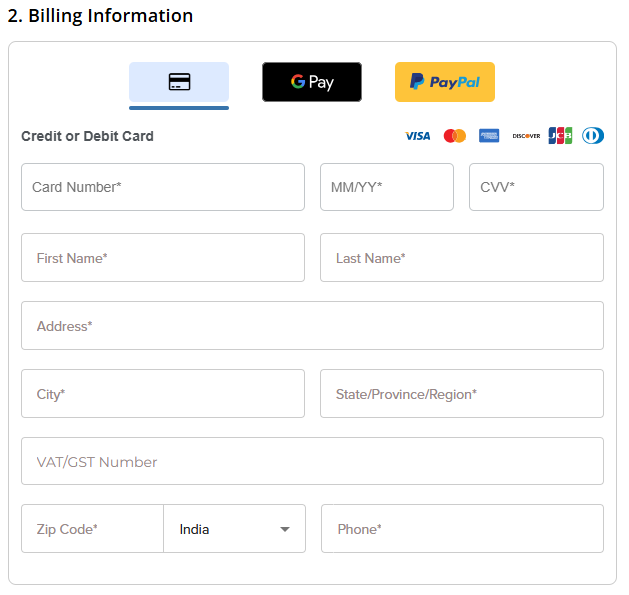
- Enter Your Billing Information.
- Create an Account: To get started, you’ll need to create your Bluehost account. You can do this easily by using your email address or by connecting with your Google, Apple, or GitHub account — whichever you prefer!
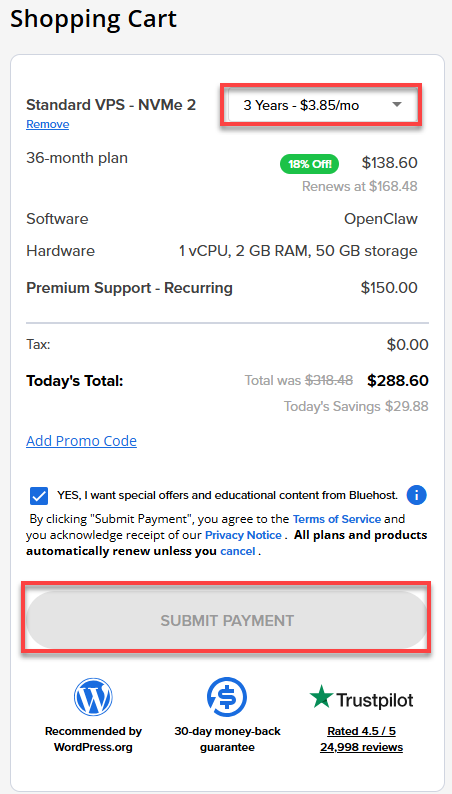
- In the Shopping Cart section, adjust the terms as needed. Click Submit Payment to complete the purchase.
Summary
OpenClaw is a powerful, self-hosted AI platform that lets you connect your favorite chat apps—like WhatsApp and Slack—while keeping full control of your data and hardware. It’s designed to make your AI assistant smart and easy to use across multiple channels. Plus, we’ll guide you step-by-step on how to set it up on Bluehost’s Self-Managed VPS.